

.png?width=48&height=48&name=icons8-backend-development-96%20(1).png)
.png?width=48&height=48&name=icons8-omnichannel-96%20(1).png)


First I want to preface this post to say that quote-based workflows are not new. They've been around a long time, but what is new is who has access to them. Quote-based workflows in HubSpot have always been a Sales Enterprise Hub feature, but as of THIS MONTH, quote-based workflows are now available in Sales Hub Pro as well! This is a big deal for those that want to trigger service and onboarding tasks based on a quote being signed.
Let's dive into what this means and how you can use it in HubSpot.
This blog post is part of our How to Use HubSpot series focused on helping our readers get the most out of their HubSpot portal with tips and tricks on best practices within HubSpot. Some features and tools can be hidden or hard to find. We're uncovering those tools. Follow along and catch all of our HubSpot tips here.
Quote-based workflows function just like any other workflow in HubSpot, but you can trigger events and update properties based on a quote's activity! This is huge for onboarding and sales teams and will eliminate a ton of missteps and issues.
Here's how you can build a quote based workflow:
- Click Automation and select Workflows
- On the left, click Start from scratch
- Scroll down to Quote-based and select it
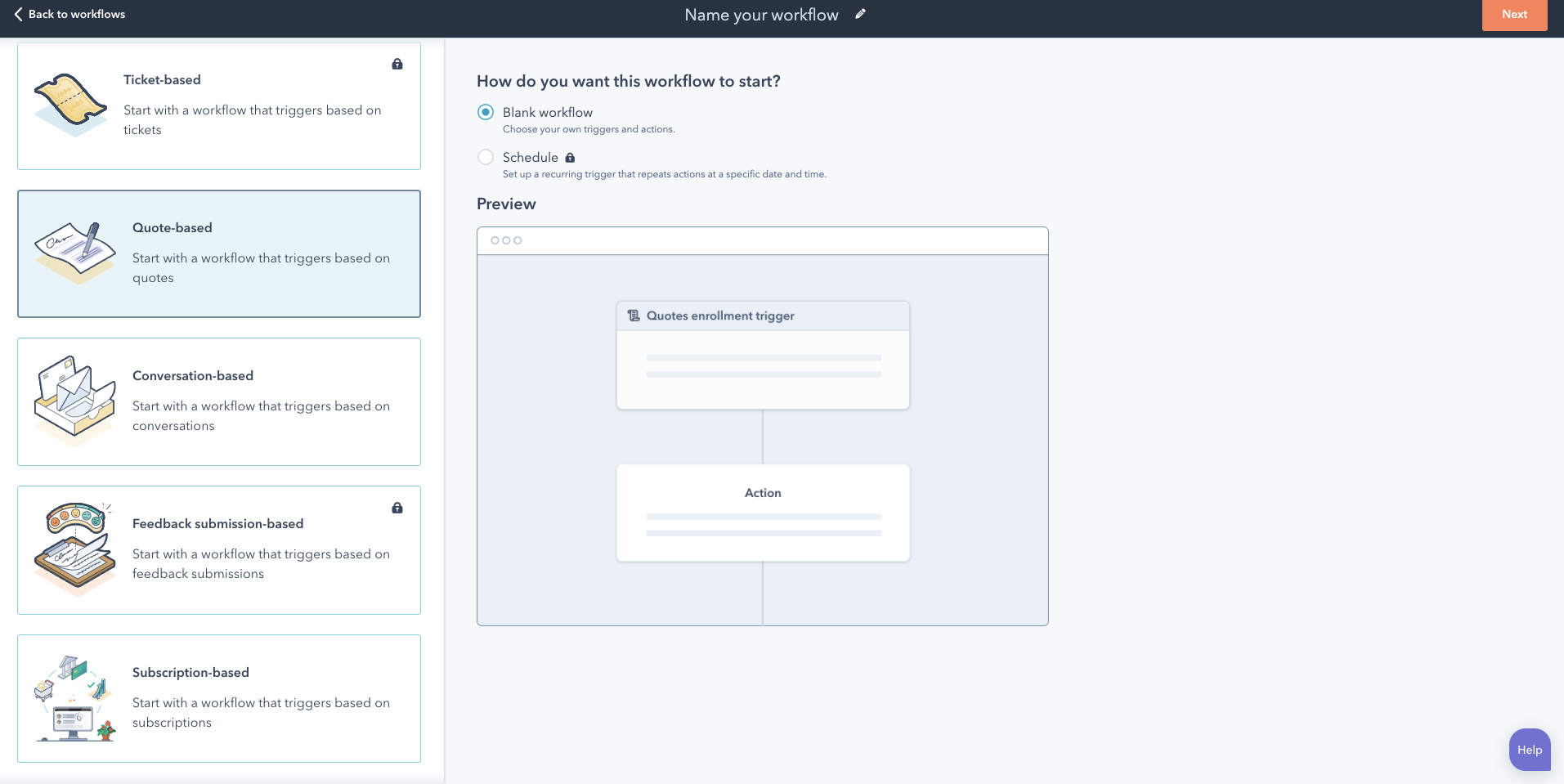
- Click the pencil icon at the top next to Name your workflow and give your workflow an intuitive name
- Click Next
- From here, you can set up your triggers based on a quote
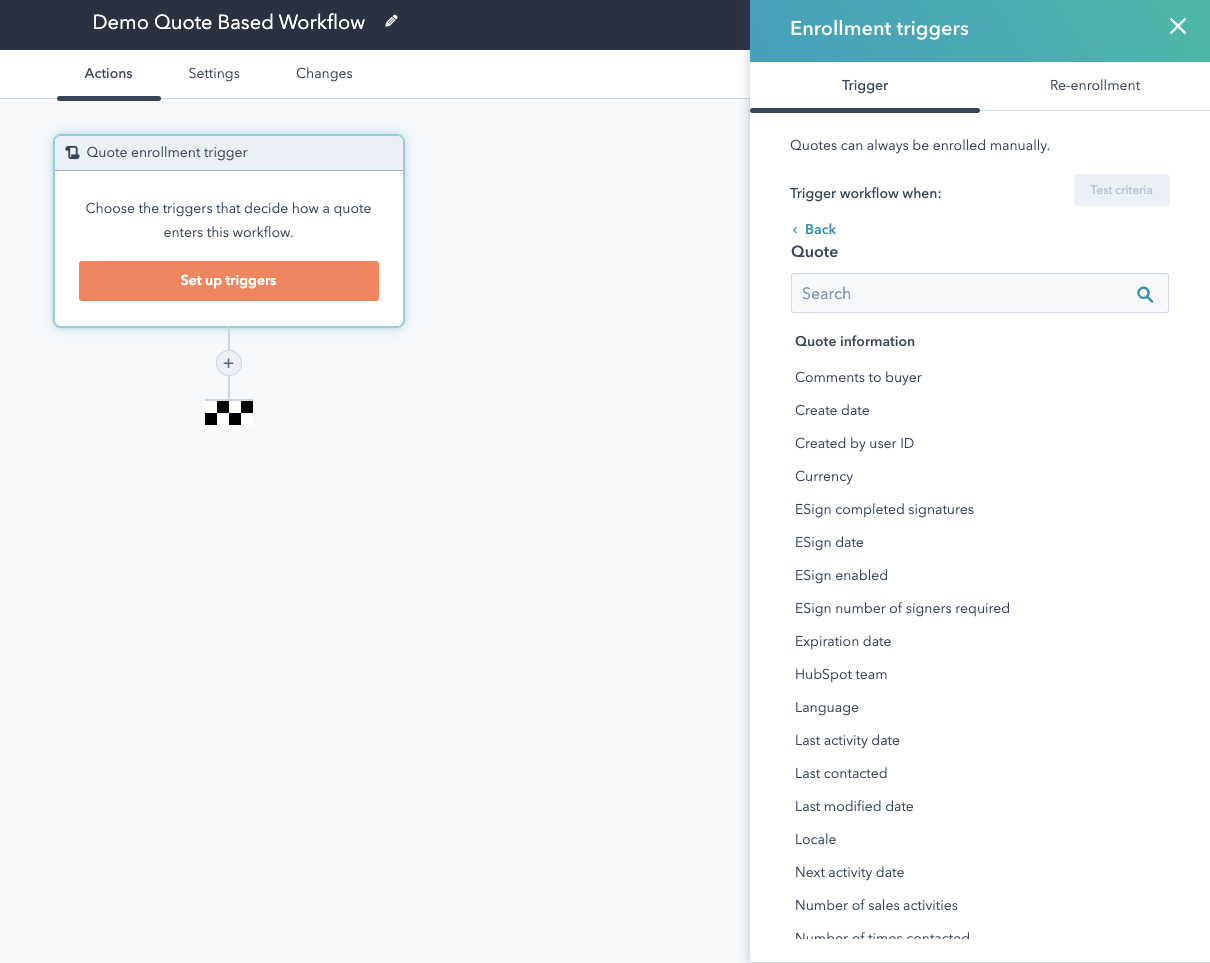
- Click Set up triggers
- Click Quote
- And from here you can have your workflow trigger based on any information on a deal like Esign date, expiration date, payment status, and more!
We use our quote-based workflows to alert our sales team, accounting, and our Client Success Manager of a new client coming onboard. We are so excited that this functionality is now available in Sales Hub Professional and can't wait to build even more quote-based workflows to streamline our processes and create a better sales-to-service handoff.
Check back regularly to find other tips on how to use HubSpot!
Not getting the most out of your HubSpot investment? Through our HubSpot Audit, our team will evaluate your HubSpot portal usage and make recommendations on how you can get more out of your portal. HubSpot should be working for you, is it?



.webp?width=100&height=100&name=10%20Signs%20Your%20HubSpot%20Setup%20Is%20Failing%20(+%20Fixes).webp)